- Product

- Pricing
- Affiliate Program
- Use Cases
- Resource
 EN
EN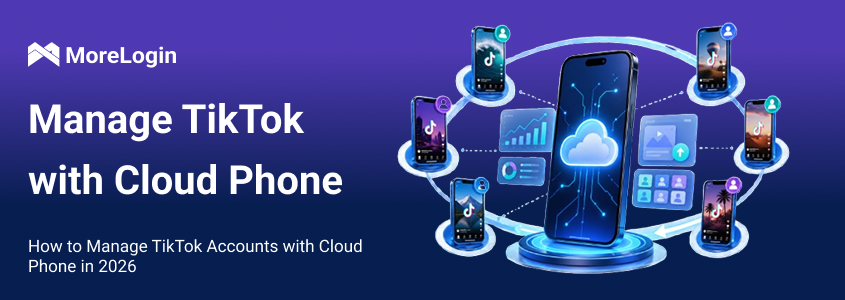
TikTok is still a mobile-first platform.
You can do light work on desktop. You can review posts, check messages, and handle a few simple tasks there. But once the job shifts from “using TikTok” to “running multiple TikTok accounts,” the desktop workflow starts to show its limits. Registration feels less natural. Daily behavior looks less like normal app use. And when several people need to manage accounts across different markets, browser-only operations become hard to keep clean. Managing multiple social media accounts, including TikTok, is more efficient with cloud phone solutions.
That is why more teams now manage TikTok accounts with cloud phone instead of relying on browser tabs or stacks of physical phones, replacing physical devices with android cloud phone solutions. The advantage is not just convenience. It is structure. A cloud phone setup gives each account its own mobile environment, its own route, and its own place inside a repeatable workflow.
Cloud phones provide a scalable, secure, all-in-one solution for tiktok multi account management, allowing teams to manage multiple accounts from one location. For teams building a long-term system rather than handling accounts one by one, a cloud phone setup for TikTok operations is easier to keep organized.
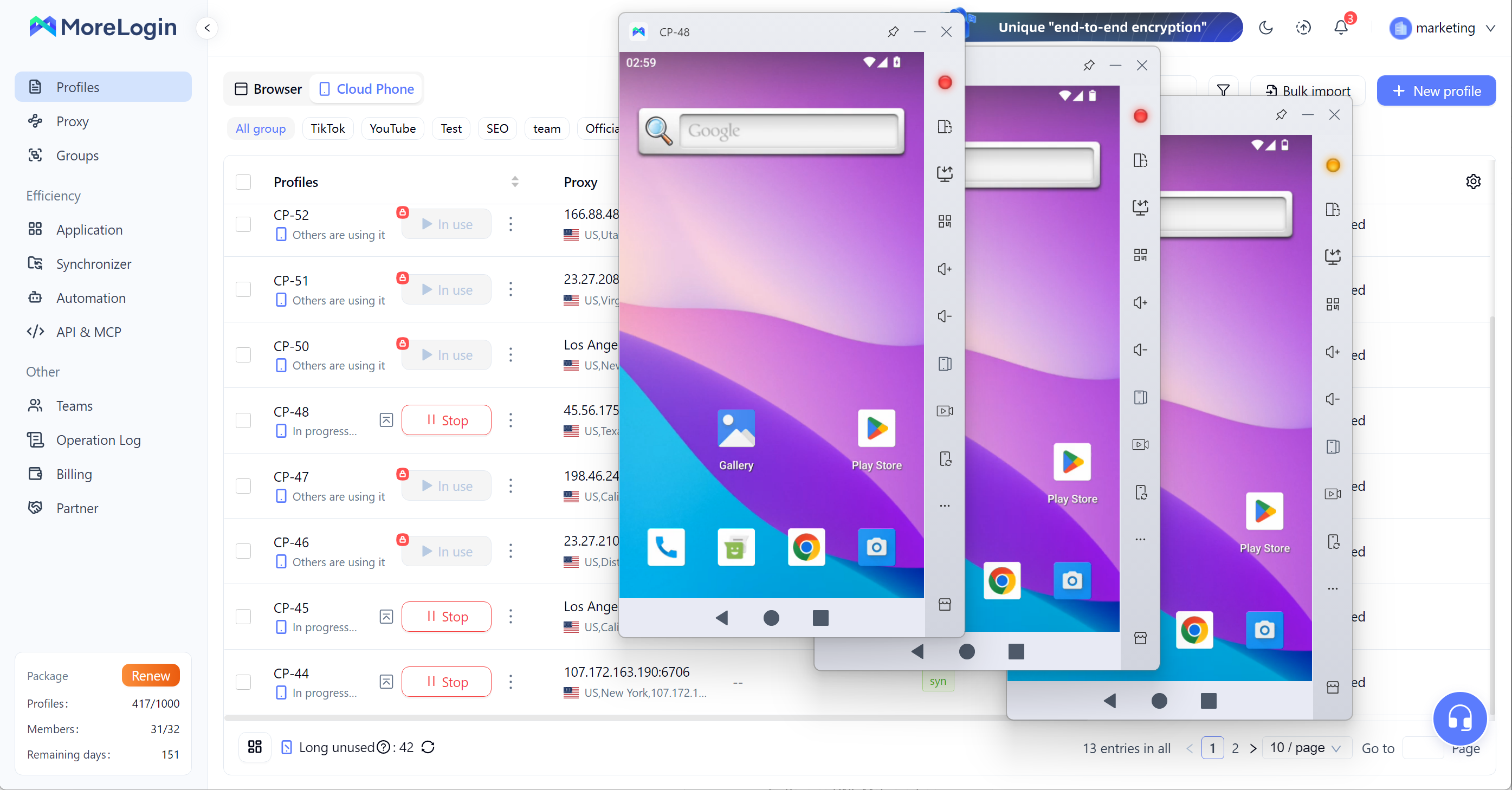
Cloud phones allow users to manage dozens of TikTok accounts from a single computer interface, reducing the need for physical devices and streamlining social media operations.
TikTok still works best when the operating pattern looks mobile.
That does not mean desktop has no value. It means desktop should not be the center of the setup. Teams that build everything around the browser often run into the same problem later: the workflow feels simple at the beginning, then becomes fragile once the account count grows. For effective multi account management and tiktok multi account operations, having the right setup from the start is crucial. A proper configuration helps prevent cross-account linkages, streamlines workflow, and ensures account safety and efficiency.
At first, one person may manage a few accounts manually. Then another person joins. Then the accounts start targeting different regions. Then someone changes the node. Then a device setting is updated. Then one account is handed from one teammate to another. Without a clear mobile workflow, the whole setup becomes harder to read and harder to control.
The real issue is not just logging in. To maintain account stability, each TikTok account should operate in its own isolated environment, which is best achieved with cloud-based solutions as part of a robust multi account management strategy. The real issue is keeping each account stable over time.
A cloud phone solves part of that because it removes a lot of physical clutter. You do not need to keep buying, charging, storing, and labeling real phones. More importantly, each account can stay in an isolated environment with its own dedicated IP and device fingerprint instead of being mixed into one messy setup
A stable setup usually starts with one basic rule: one cloud phone, one TikTok account, one route. To ensure true isolation, each account should have a unique device fingerprint and dedicated IP, so every TikTok account operates in its own distinct environment.
That rule matters because it keeps account history easier to trace. If one account has its own device and its own path, then problems are easier to isolate. If too many accounts are mixed together, even a simple issue becomes harder to diagnose.
The second part is consistency. The route, timezone, language, and device environment should match the target market. For long-term account stability, using dedicated proxies that match each device's location and session history is critical to avoid detection and account linking. If an account is aimed at the UK, but the environment looks unrelated to the UK, the setup becomes weak. The issue is not just IP. The issue is mismatch.
The third part is device quality. A better cloud phone environment should feel closer to a real phone, not a rough workaround. Real Android cloud phones provide genuine hardware identifiers, persistent storage, and unique device fingerprints, which are essential for managing multiple TikTok accounts effectively and avoiding detection. The material you shared specifically points to authentic ARM architecture and automated configuration of IP, language, timezone, and related environment parameters, which fits the kind of stable setup TikTok teams actually need
If you are still comparing options before scaling, it helps to review the most stable cloud phone options first. Stability is not only about whether the device opens. It is about whether the setup still works once the account count grows.
Using unique device fingerprints and dedicated IPs for each TikTok account helps prevent cross-account detection and ensures each account operates independently.
The best way to manage TikTok accounts with cloud phone is to treat it like a process, not a shortcut. Management tools and automation tools are essential for streamlining workflows, handling batch operations, and efficiently overseeing multiple accounts. Additional tools, such as automation features and APIs, can help digital marketing agencies and social media managers manage content and engagement across multiple TikTok accounts efficiently.
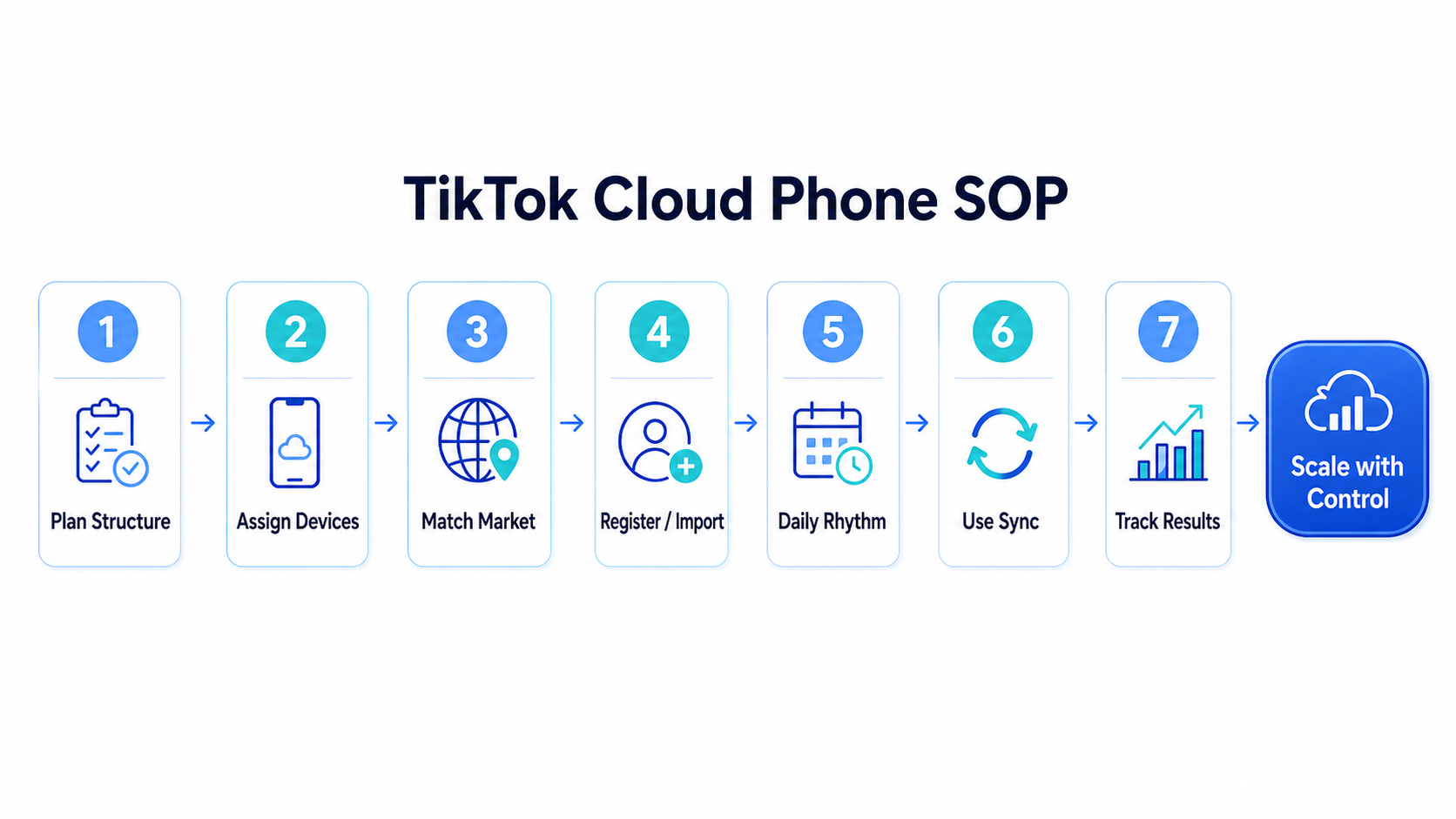
Do not begin by opening devices at random.
Start with a basic account map. List how many accounts you need, which markets they belong to, what each account is for, and who will operate it. Some may be content accounts, paid traffic accounts, backup accounts, or testing accounts. You might also have regional accounts for different geographic markets, client accounts for managing social media on behalf of others, and a personal account for personal use alongside business activities.
A simple sheet is enough in the beginning. One row per account. Include account name, target market, device name, route, timezone, content type, and current status. This takes very little time, but it prevents a lot of confusion later.
Note: TikTok allows users to create up to three accounts on a single device, but managing more than this typically requires separate devices or third-party tools.
Each account should have its own cloud phone. That is the cleanest structure. When managing more than three TikTok accounts, you typically need a separate device for each account, as TikTok limits the number of accounts per device. With MoreLogin, each account runs independently in its own isolated environment, ensuring unique device fingerprints and secure operation.
This is one place where MoreLogin can sit naturally in the workflow without extra explanation. One account gets one cloud phone, and that relationship stays fixed. Do not keep rotating multiple accounts through the same environment because it feels faster. That usually creates more problems than it solves.
Name devices clearly. A format like market-purpose-number works well: US-content-01, UK-shop-03, CA-backup-02. Once the team grows, naming rules become part of operational efficiency.
The most critical rule is to assign exactly one cloud phone instance to one TikTok account to avoid creating a hardware link.
This is where many teams get careless.
A TikTok account aimed at one market should not sit inside an environment that points somewhere else. The route, IP region, timezone, language, and system settings should match the job the account is supposed to do. For regional accounts, cloud phones allow you to assign unique or rotating IP addresses from various countries, which can enhance content reach and help avoid cross-account detection.
Do not just change the proxy and stop there. A stable setup is a full environment, not a single setting.
New accounts and older accounts should not be handled the same way.
A new account needs a clean start. Users often create new TikTok accounts for content creation and different purposes, such as managing multiple brands or campaigns. An older account needs continuity. If an account already has usage history, the goal is not to rebuild everything around it. The goal is to move it without creating an obvious break in the operating pattern.
That is why it helps to follow a proper process when you register TikTok in a cloud phone environment, instead of improvising step by step.
This is where the workflow either becomes stable or starts looking random.
Each account needs a readable routine. Log in during defined windows. Browse normally. Interact at a reasonable pace. Publish according to the role of the account. Maintaining a consistent routine helps build your TikTok presence, grow your own following, and manage multiple TikTok profiles effectively. Do not push new accounts too hard in the beginning. Do not let the whole system depend on bursts of manual work.
If your goal is to manage TikTok accounts, the real issue is not just access. It is whether daily behavior stays organized.
When the team needs to repeat the same maintenance step across several devices, a synchronizer saves time. Batch operations and automation tools can also be used to schedule posts and schedule video uploads across multiple accounts, streamlining content management. This is another place where MoreLogin fits naturally into the SOP. Instead of clicking through every cloud phone one by one, the team can run repeated actions in parallel, then keep manual attention for the parts that should not be duplicated.
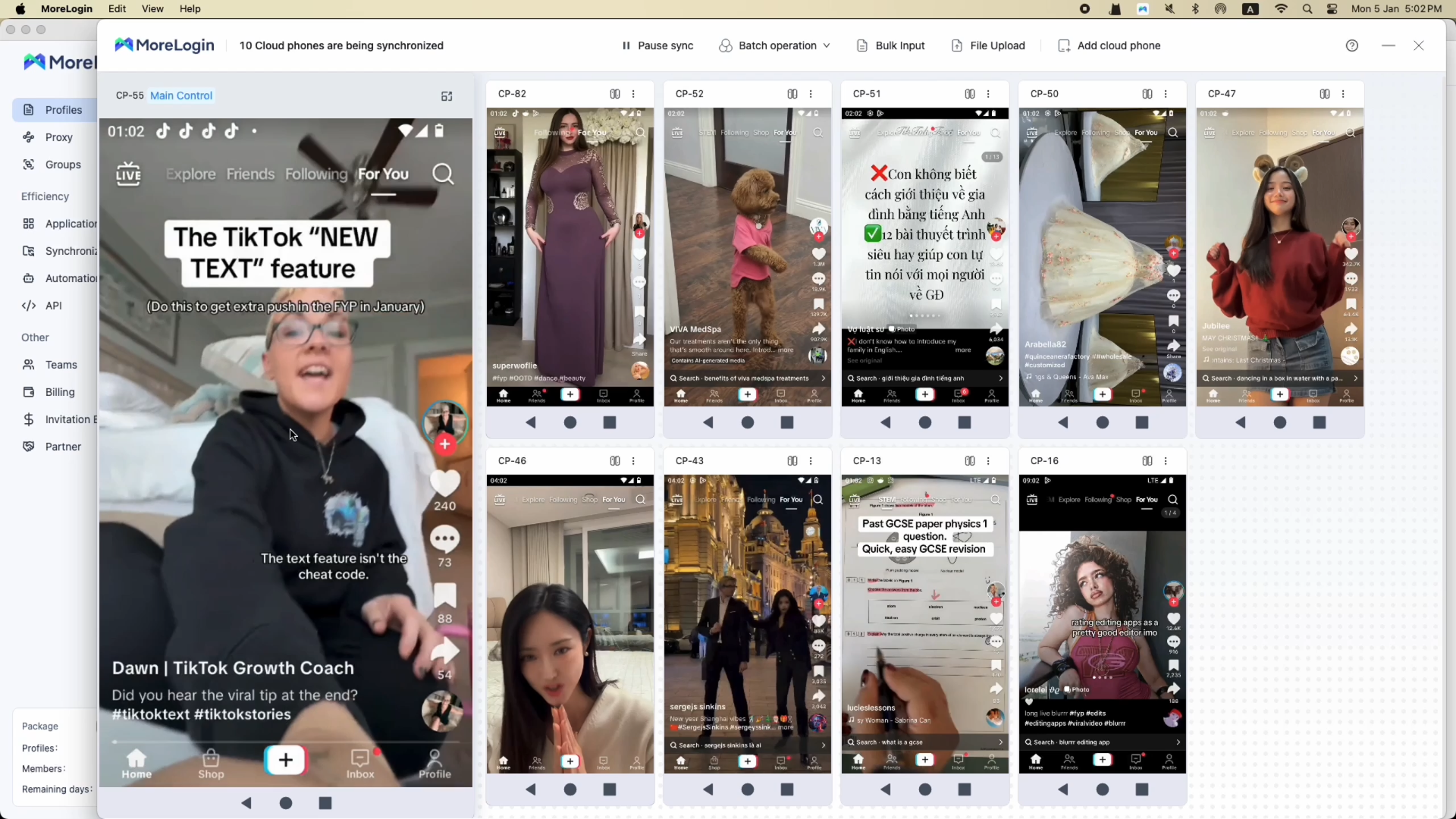
The useful detail here is not only one-click sync. It is that teams can also batch input different texts for different accounts and upload different files to multiple devices, which is much more practical for TikTok operations than making every account look identical.
A team that does not track account history usually ends up guessing.
Each account should have a simple record: which device it uses, which market it targets, what kind of content it posts, how active it is, and whether anything unusual happened. Persistent sessions help users stay logged in, making managing multiple TikTok accounts more efficient by preserving login states and app data between sessions. That way, when one account cluster performs badly, you have something concrete to review.
Tracking also helps you see whether the problem comes from content, timing, market fit, or environment quality.
Tracking and maintaining persistent sessions is crucial for managing multiple TikTok accounts and ensuring accounts appear as stable, real users.
A small team can usually handle 10 to 20 accounts well if the structure is clean. Each member has a fixed account group. Managing multiple TikTok accounts using cloud phone solutions allows teams to efficiently manage multiple accounts and social media accounts, ensuring each account is organized and isolated for security and compliance. Each group maps to a fixed market or purpose. Each account has its own cloud phone.
At 50 accounts or more, memory stops working. The team needs naming rules, grouping rules, permission rules, and a standard way to assign devices. To maintain account isolation, each TikTok account should operate in its own clean environment, preventing overlap and making accounts appear as unique users. Using antidetect browsers and avoiding account linking are essential strategies to ensure each account remains independent and secure as you scale.
This is the third place where MoreLogin can appear naturally. Once multiple people are involved, role-based access and account ownership control start to matter. The material you shared also points to multi-member remote collaboration, permission assignment, and one-click permission reclaim, which are the kinds of details that matter once the operation is shared by more than one person
If your work also connects with paid traffic, the same logic applies when trying to manage 100 TikTok ads accounts. At that scale, clean structure matters as much as execution speed.
The first mistake is reusing one setup across too many accounts. It looks efficient at first, but it makes troubleshooting much harder later. This practice can trigger TikTok restrictions and unwanted account linking, increasing the risk of bans as TikTok detects device reuse and associations between accounts.
The second mistake is treating the environment like a proxy-only issue. A clean setup is not just an IP. It is the route, timezone, language, device behavior, and account purpose working together.
The third mistake is scaling before the first batch is stable. If a team cannot keep 5 or 10 accounts organized, adding 50 more will not solve anything.
The fourth mistake is using sync as a copy machine. Repeating structure is useful. Making every account look exactly the same is not. Using additional tools with anti-detection functionality is essential to prevent account associations, avoid bans, and ensure compliance when you manage TikTok accounts with cloud phone solutions.
The point is not just to open more accounts. The point is to keep them organized.
That is why the better way to manage TikTok accounts with cloud phone is to build around a clean SOP: one account per device, one matched environment per market, one readable daily routine, and one record for each account. Once that structure is in place, sync, batch work, and team collaboration become useful instead of messy.
In 2026, teams that want to manage TikTok accounts with cloud phone well are usually not looking for shortcuts. They are looking for a mobile workflow they can keep running. A stable cloud phone setup gives them a cleaner base for that.
The web version is fine for light tasks, but it is not a strong base for long-term multi-account work. TikTok still behaves like a mobile-first platform, so a mobile workflow is easier to keep consistent.
People may try that, but it is not the cleanest structure. A one-account-one-device setup is easier to manage, easier to track, and easier to scale.
The biggest mistake is building a messy structure from the start. Reusing the same environment, changing routes too often, and skipping records usually creates bigger problems later.
No. The structure can be standardized, but account behavior should not be cloned blindly. Repeated tasks can be batched, but the workflow still needs room for variation.
No. Small teams benefit too. Large teams just feel the cost of a weak structure much faster.
They keep the basics clean: one account per device, one clear market per setup, a readable daily routine, and a record for each account.
Proxy vs VPN vs anti detect Browser: Why VPNs Are Not Enough
Next
 EN
EN